
































How to use a template
- Choose a templateBrowse food, places and everyday sets below, then open the one your group will argue about the longest.
- Rank or start from oursPick Rank it yourself for empty tiers, or Start from our ranking and move the items you disagree with.
- Share the resultDownload an unbranded PNG, send friends a link to the same template, or keep the list saved on this device.
What's in the template library
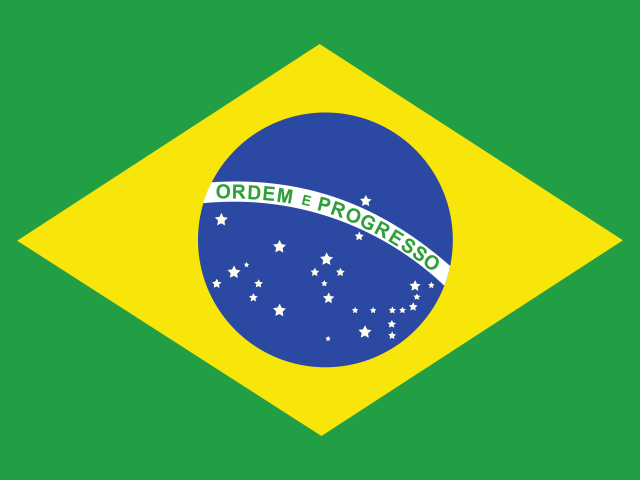
The library is split into three shelves. The food tier lists cover fast food chains, candy, chips, cereal, soda, pizza toppings, ice cream flavors, vegetables, fruits and the Thanksgiving table. The places and history shelf holds countries with their flags, flags of the world, US states, the biggest US cities and every US president. Everyday things gathers colors, alphabet letters and names.
Each set is curated by hand, so you won't find five near-copies of the same list or a template with half its pictures missing. Names are written cleanly, duplicates are removed, and long sets come with presets that narrow the pool, such as filtering countries by continent or switching the alphabet between upper case, lower case and Greek.
How every template page works
Open any template and the maker is already loaded with its items. Rank it yourself starts with empty tiers. Start from our ranking drops every item where we placed it, and you can move anything you disagree with. Below the board, our take explains each tier with reasons you can check, from price and availability to history and taste.
Pictures come only from licensed or public sources: flag-icons under the MIT license, Noto Emoji under Apache 2.0, public-domain presidential portraits and map shapes, and drawings we made ourselves. Brand items such as candy bars or fast food chains appear as plain names, never as logos. Every page carries a credits line for its pictures.
Everything else works the same as the main maker. Add your own items to any template, rename or recolor tiers, undo any move, and export a clean PNG. Progress is stored in this browser on its own; no login is asked for.
How to pick the right template
Think about who is ranking. A friend group on movie night wants something everyone has tasted, so food is the safe bet; the candy tier list is the classic opener in October. A classroom warm-up works best with sets that teach something on the side, like flags, US states or the letters of the alphabet. A Discord server loves sets where everyone has a strong, personal opinion, and names or colors do that surprisingly well.
Then think about length. Ten to twenty items take about two minutes and suit a quick poll. Fifty states or every country take longer, so use a preset to cut the pool down, or rank one continent at a time.
Streamers and video makers should pick sets with a clear crowd favorite and at least one controversial item. Pizza toppings brings the pineapple question, soda has root beer, and vegetables split people between taste and nutrition. Those are the moments that make a video reveal, row after row, worth watching.
Making a good tier list from a template
Decide on one question before you place anything. Ranking fast food by taste gives a different list than ranking it by value, and mixing the two halfway through produces a list nobody can read. Put the question in the title so it appears on the exported image.
Use the whole scale. A list where everything lands in A and B says little. If something is merely fine, C tier is where it belongs, and an honest F row makes the S row mean more.
Leave out what you haven't tried, or make a row for it. Ranking an item you've never tasted or a country you've never read about mostly adds noise. A row named "never tried" is perfectly fair.
Seasonal picks for the months ahead
Some templates have a season. October belongs to candy, when the Halloween haul gets sorted on the living room floor and the trading starts. November brings the Thanksgiving food list, where stuffing, cranberry sauce and the green bean casserole all have loyal defenders.
Presidents' Day, on the third Monday of February, is a natural moment for the presidents list in a history class. Summer road trips suit the states and cities sets, and the countries list gets busy during any big international tournament, when people suddenly have opinions about places they had never ranked before.
Why there are no game, anime or movie templates
Characters, game items and movie stills belong to their creators, and a template built from them would be hosting someone else's artwork. So the library sticks to topics we can illustrate legally or that work as plain names.
You can still rank any fandom. Add your own pictures on the main maker; those images remain local to your browser. To give friends the same set, create your own template and share it: a link carries a text-only set, a .tier file carries one with pictures.
Can't find your topic?
The library grows over time, but some topics will always be easier to build yourself. Paste a list of sauces, sneakers, school subjects or board games and every line turns into its own tile. For a printed sheet or an empty board for pen and paper, a blank tier list (empty PNG, paper sheet or spreadsheet) is the faster route.
Once the set exists, the same items can move into other formats in one click: an iceberg, a bracket, a compass, an alignment grid or a numbered list.
Questions
Are these tier list templates free?
Yes. Every template opens in the browser with no sign-up, no download and no watermark on the exported image. Pictures are already in place, our ranking is there to start from, and your own version saves itself to My lists as you go. Ads aren't shown at present either, and nothing you rank is uploaded.
Where can I find tier list templates?
All of them are on this page, grouped into food and drink, places and history, and everyday things. Food includes fast food, candy, chips and more; places covers countries, flags, US states, cities and presidents; everyday has colors, letters and names. Open a card and the maker loads with that template's items.
Can I build my own template?
Yes. The template builder lets you name a set, add text or picture items, choose your tiers, and send it to friends. A text-only set fits inside a link, while a set with pictures goes out as a .tier file. Friends open it ready to rank, and their results can be merged afterward.
Can I add or change items in a template?
You can add items of your own to any template by typing them, pasting a list or adding pictures from your device, and you can rename, recolor, add or remove tiers. That's handy for a local candy bar, a regional soda or a city the set doesn't include. The changes live in your copy only.
Do the templates work on a phone?
Yes. On a touch screen you can pick an item and then its tier with two taps, or switch to One by one, where a large card waits above a row of tier buttons. Long-press dragging works too. The tall 1080×1920 export fits stories and Shorts, and on phones Image, then Share, sends the picture straight to an app.
Can a whole group rank the same template?
Yes: share one template link around the group and have each person reply with their ranked link. Paste those replies into the tier list with friends page. It takes the middle tier each item received as the group verdict, flags the items people split on most, and pairs up the friends whose rankings match.